Sharing Rooms
Every StageTick room has shareable URLs for each view. Send the right link to the right person — a fullscreen countdown for the confidence monitor, a moderator view for the host, or a question submission page for the audience.
Room URL structure
All room URLs follow the same pattern, with the view type appended to the base room URL:
Available view URLs
| View | URL Path | Login required |
|---|---|---|
| Controller | /r/:roomId | Yes |
| Viewer | /r/:roomId/viewer | No |
| Fullscreen | /r/:roomId/fullscreen | No |
| Moderator | /r/:roomId/moderator | Yes |
| Operator | /r/:roomId/operator | Yes |
| Ask (Q&A) | /r/:roomId/ask | No |
Copying a link
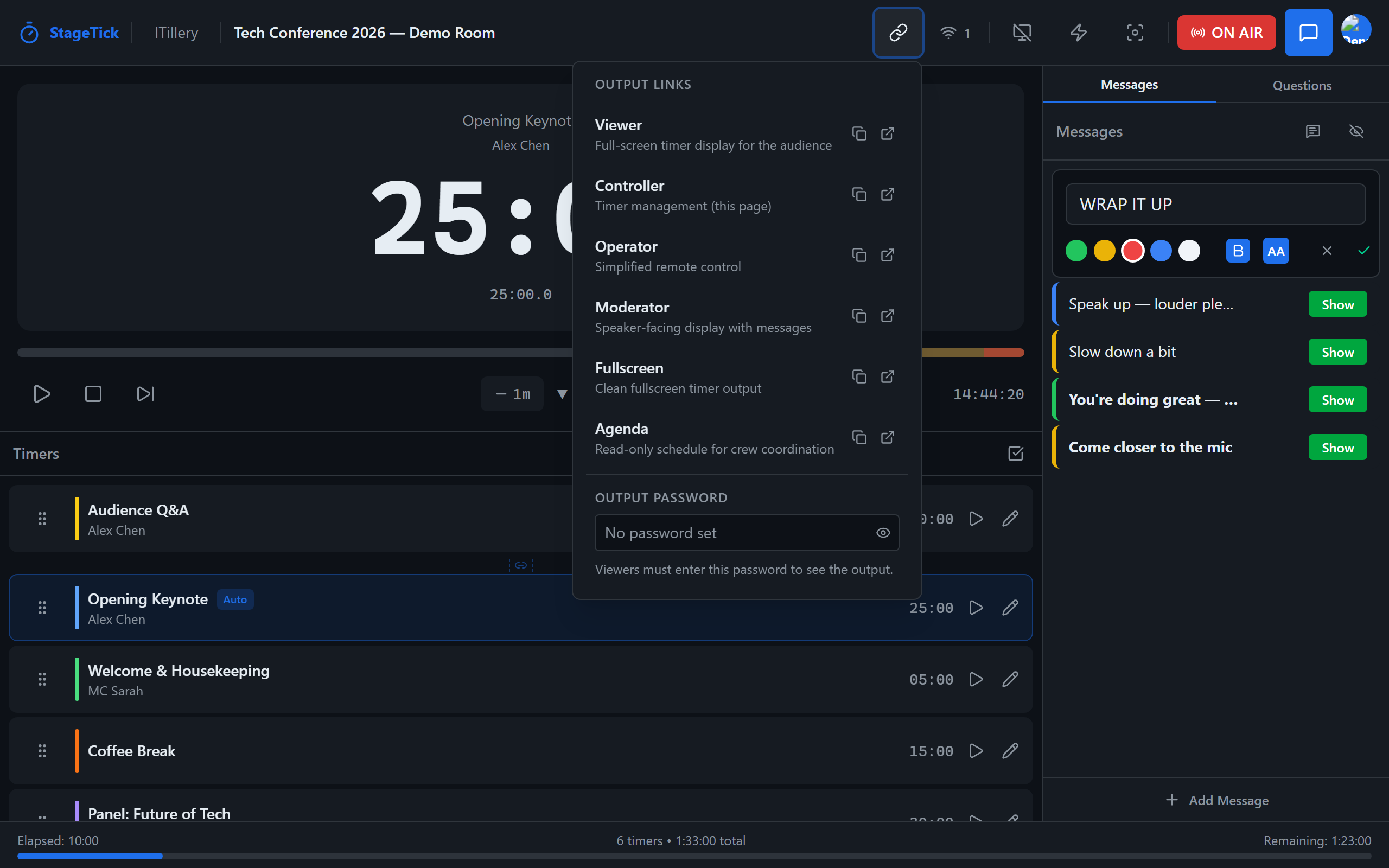
In the Controller or Operator view, use the Copy Link button to copy the URL for any view to your clipboard with one click. You can then paste it into a chat, email, or browser address bar.
QR codes
You can generate a QR code for any view URL. This is especially useful for the /ask page — display the QR on a projector or print it on table cards so audience members can scan it with their phones and submit questions instantly.
Output password
You can set an output password to restrict access to your room's output views. When a password is set, anyone opening a Viewer, Fullscreen, Moderator, or Operator link must enter the password before they can see the timer.
To set or change the password, open the Output Links popup in the Controller header. Type a password in the input field and click the Save button (or press Enter). To remove the password, click the trash icon next to the saved password.
Authentication
The Viewer, Fullscreen, and Ask views do not require authentication — anyone with the link can open them (unless an output password is set). The Controller, Operator, and Moderator views require the user to be signed in as the room owner.
/ask on table cards so audience members can submit questions from their phones without needing to type a URL.